Ok, from the looks of it, UDK RTS Starter kit only has PlayerController, HUD, HUDProperties classes implemented for mobile target. Would want to use the PC target, though. Or Android, which is only supported on a full license of UDK, unfortunately.
So, can probably scavenge most of my old code for mouse and keyboard input. Also, due to the lack of free alternatives to Flash, I would rather skip the Scaleform-based GUI and use a minimalistic 2D GUI, instead. Can also scavenge some of that old and hacky code there (had labels, buttons, single- and multiline text).
Not sure if I'll be able to keep up with this gamedev thing and blogging. Last time it stretched into years due to school + working late hours. Let's see.
Monday, July 15, 2013

Sunday, July 14, 2013
UDK RTS to play with
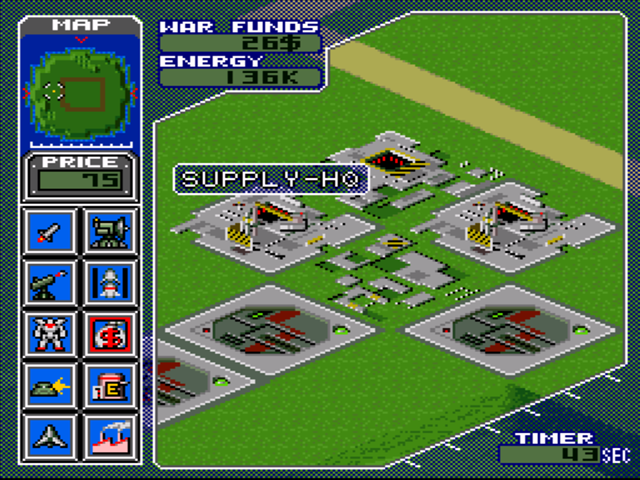
Ok, thought I would start playing with UDK again. Had started a dummy project just for learning a few years ago. Back then I thought something simple alike Metal Marines would be simple enough. Well .. I was wrong, because back then, the UDK RTS starter kit wasn't there yet and it took me a while to even get some real basic menus, tiled terrain and planting-of-buildings working.
This time I thought I would give UDK RTS a try. Called the project GoldenGoliaths, this time.
Extracted UDK RTS Starter Kit contents into place (Development to Development, UDKGame to UDKGame). Then opened GoldenGoliaths/UDKGame/Config/DefaultEngine.ini and added UDKRTSGame into the UnrealEd.EditorEngine section:
UDKRTSGame should probably be included before your game package.
Compiled, and on running the editor, it compiled all the materials and shaders for UDKRTS game content as well.
Everything seemed fine until I subclassed UDKRTS classes in mine:
GoldenGoliathsGameInfo.uc:
GoldenGoliathsPawn.uc:
GoldenGoliathsPlayerController.uc:
Got a bunch of compilation errors:
Even though, I had already UDKRTSGame loaded before GoldenGoliathsGame in the DefaultEngine.ini file.
As it turned out, GoldenGoliathsGame was already loaded before anything in the DefaultEngine.ini file. The solution was to open GoldenGoliaths/UDKGame/Config/DefaultEngineUDK.ini (superclass of DefaultEngine.ini) and add UDKRTSGame there as well, before GoldenGoliathsGame:
At least got it compiling now.
This time I thought I would give UDK RTS a try. Called the project GoldenGoliaths, this time.
Extracted UDK RTS Starter Kit contents into place (Development to Development, UDKGame to UDKGame). Then opened GoldenGoliaths/UDKGame/Config/DefaultEngine.ini and added UDKRTSGame into the UnrealEd.EditorEngine section:
[UnrealEd.EditorEngine]

+EditPackages=UDKRTSGame

+EditPackages=GoldenGoliathsGame
UDKRTSGame should probably be included before your game package.
Compiled, and on running the editor, it compiled all the materials and shaders for UDKRTS game content as well.
Everything seemed fine until I subclassed UDKRTS classes in mine:
GoldenGoliathsGameInfo.uc:
class GoldenGoliathsGameInfo extends UDKRTSGameInfo
    dependson(UDKRTSGameInfo);

auto State PendingMatch
{
Begin:
    StartMatch();
}

defaultproperties
{
}
GoldenGoliathsPawn.uc:
class GoldenGoliathsPawn extends UDKRTSPawn
    dependson(UDKRTSPawn) config(Game);
GoldenGoliathsPlayerController.uc:
class GoldenGoliathsPlayerController extends UDKRTSPlayerController
    dependson(UDKRTSPlayerController) config(Game);
Got a bunch of compilation errors:
* Error, Superclass UDKRTSGameInfo of class GoldenGoliathsGameInfo not found
* Error, Superclass UDKRTSPawn of class GoldenGoliathsPawn not found
* Error, Superclass UDKRTSPlayerController of class GoldenGoliathsPlayerController not found
Even though, I had already UDKRTSGame loaded before GoldenGoliathsGame in the DefaultEngine.ini file.
As it turned out, GoldenGoliathsGame was already loaded before anything in the DefaultEngine.ini file. The solution was to open GoldenGoliaths/UDKGame/Config/DefaultEngineUDK.ini (superclass of DefaultEngine.ini) and add UDKRTSGame there as well, before GoldenGoliathsGame:
[UnrealEd.EditorEngine]
+EditPackages=UDKRTSGame
+EditPackages=GoldenGoliathsGame
At least got it compiling now.
Subscribe to:
Comments (Atom)